This article was fact checked & last verified by Daniel Fazekas in:
Blog
Authenticate to Firebase with Google OAuth in a Managed Expo Workflow React Native Application that is compatible with Expo Go
Authenticate to Firebase with Google OAuth in a Managed Expo Workflow React Native Application that is compatible with Expo Go
We will guide you through the process of setting up a Firebase Authentication with Google OAuth login that is Expo Go compatible in a React Native Expo app that utilizes a managed workflow with Typescript.

Written by
Dénes Gutai
Last updated
MAR 02, 2026
Topics
#dev
Length
7 min read

Table of contents
Intro and prerequisites
Google Cloud project setup
Creating the project
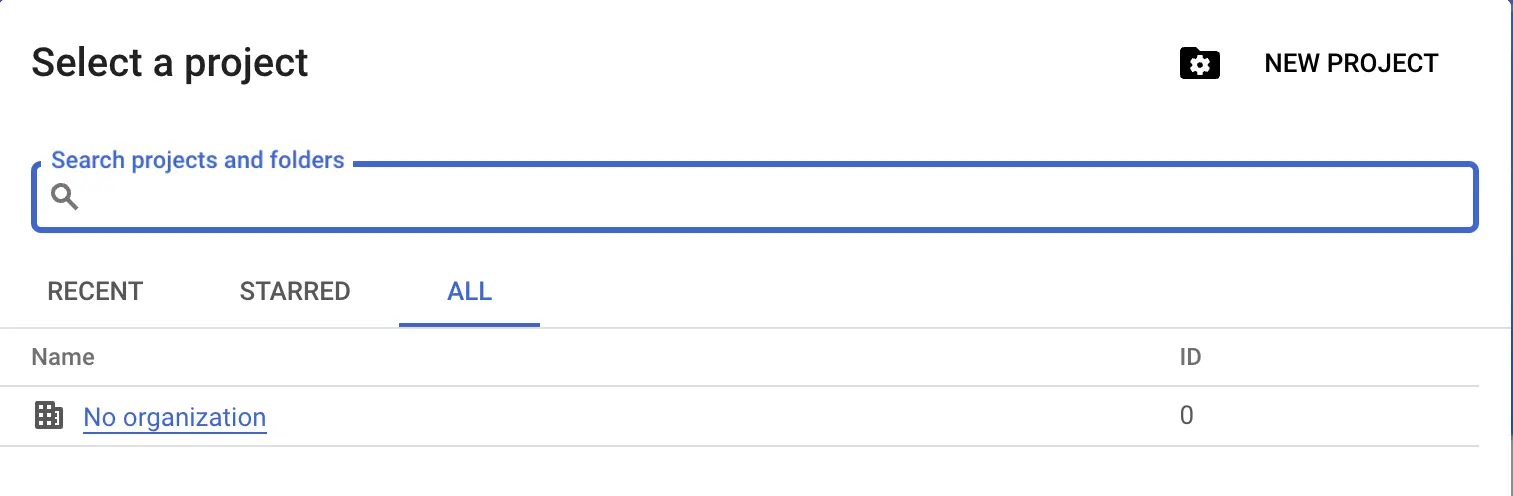
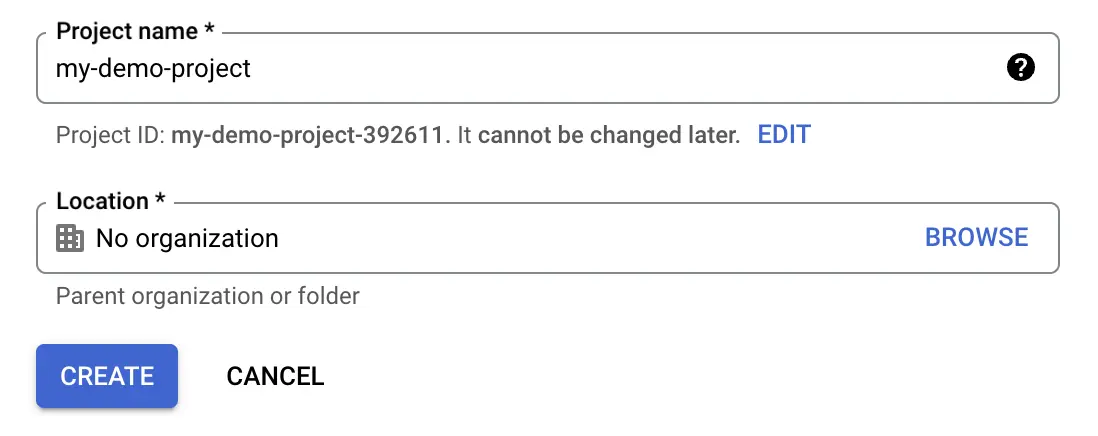

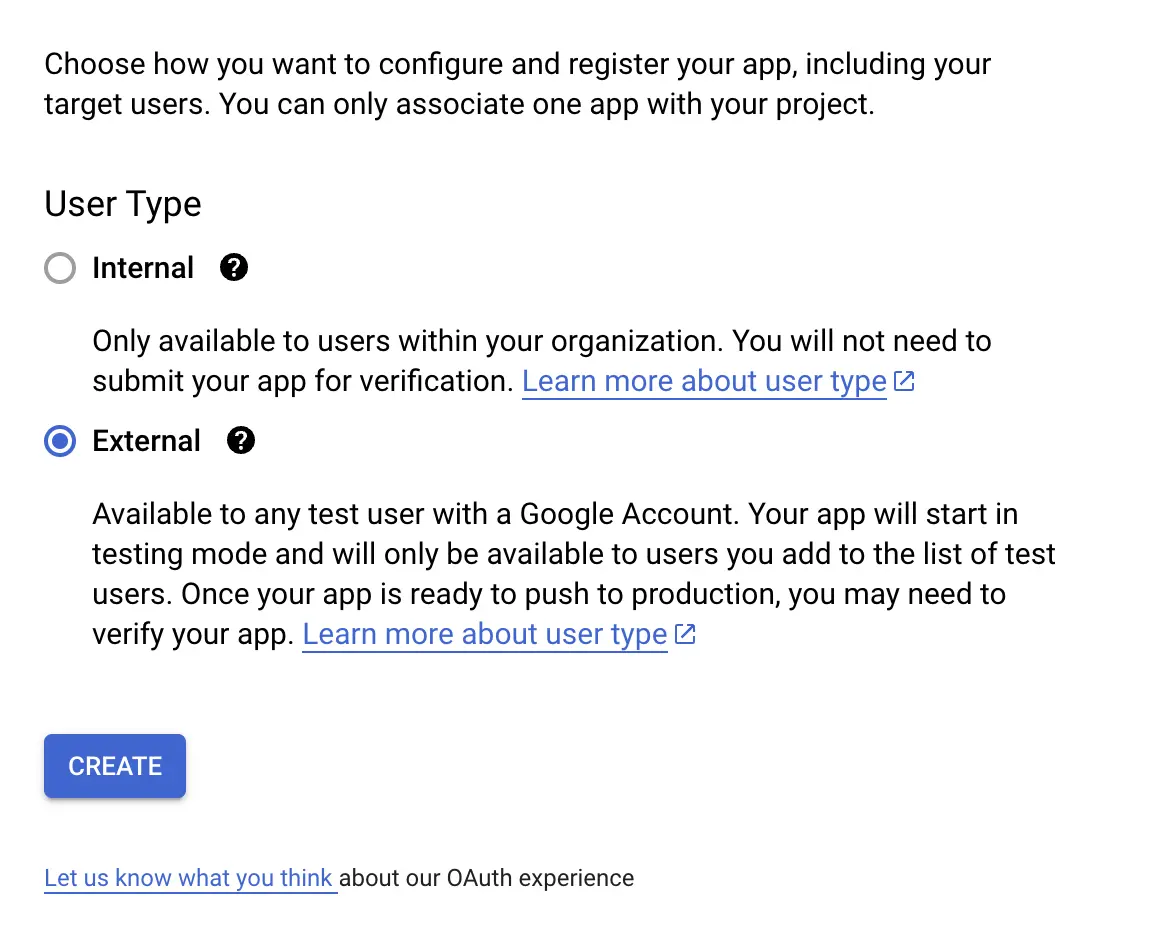
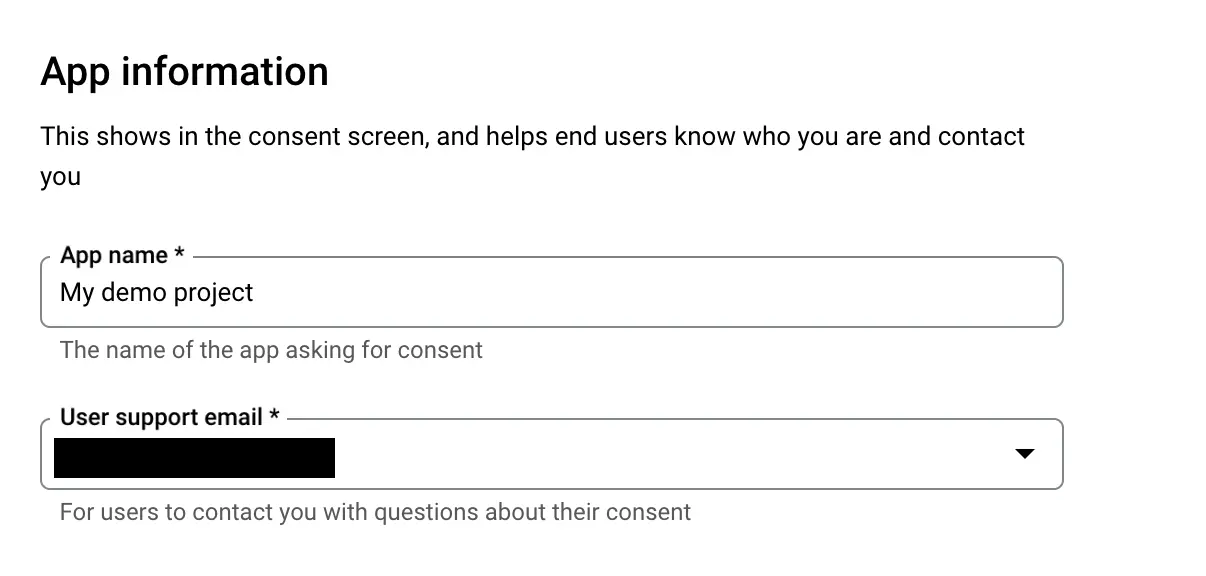
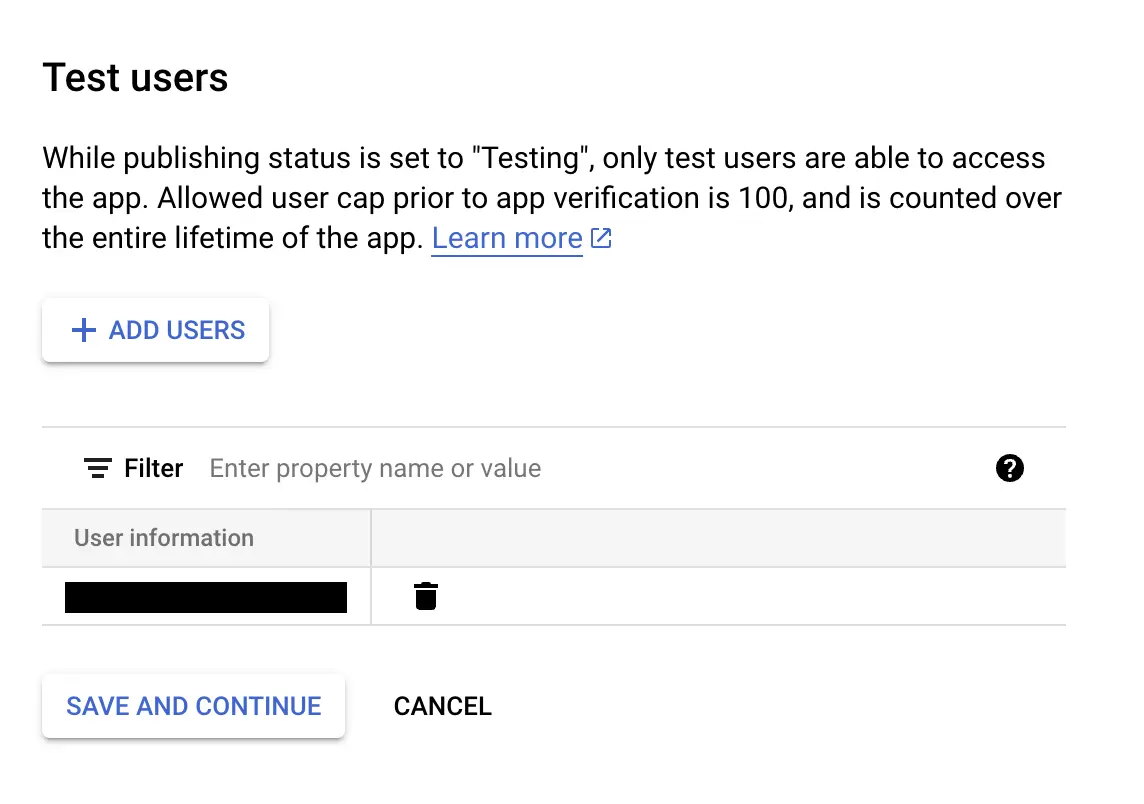
Consent screen
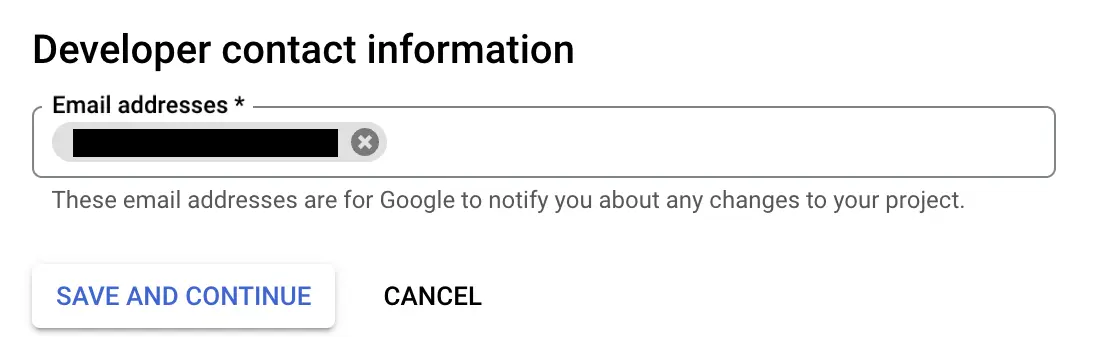
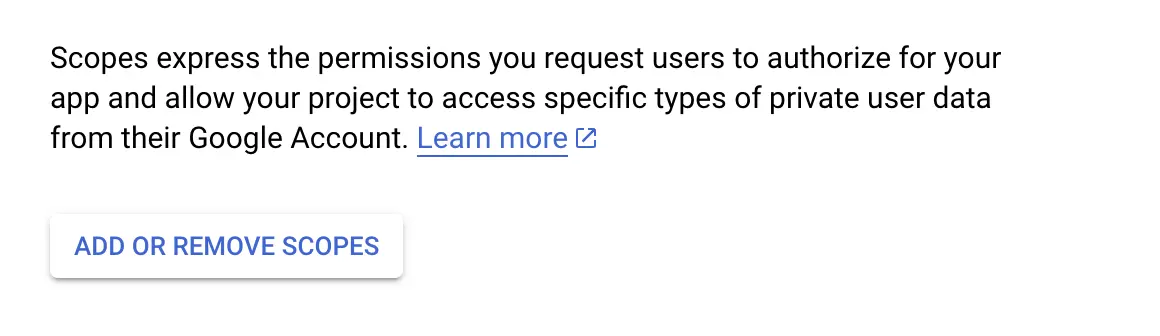
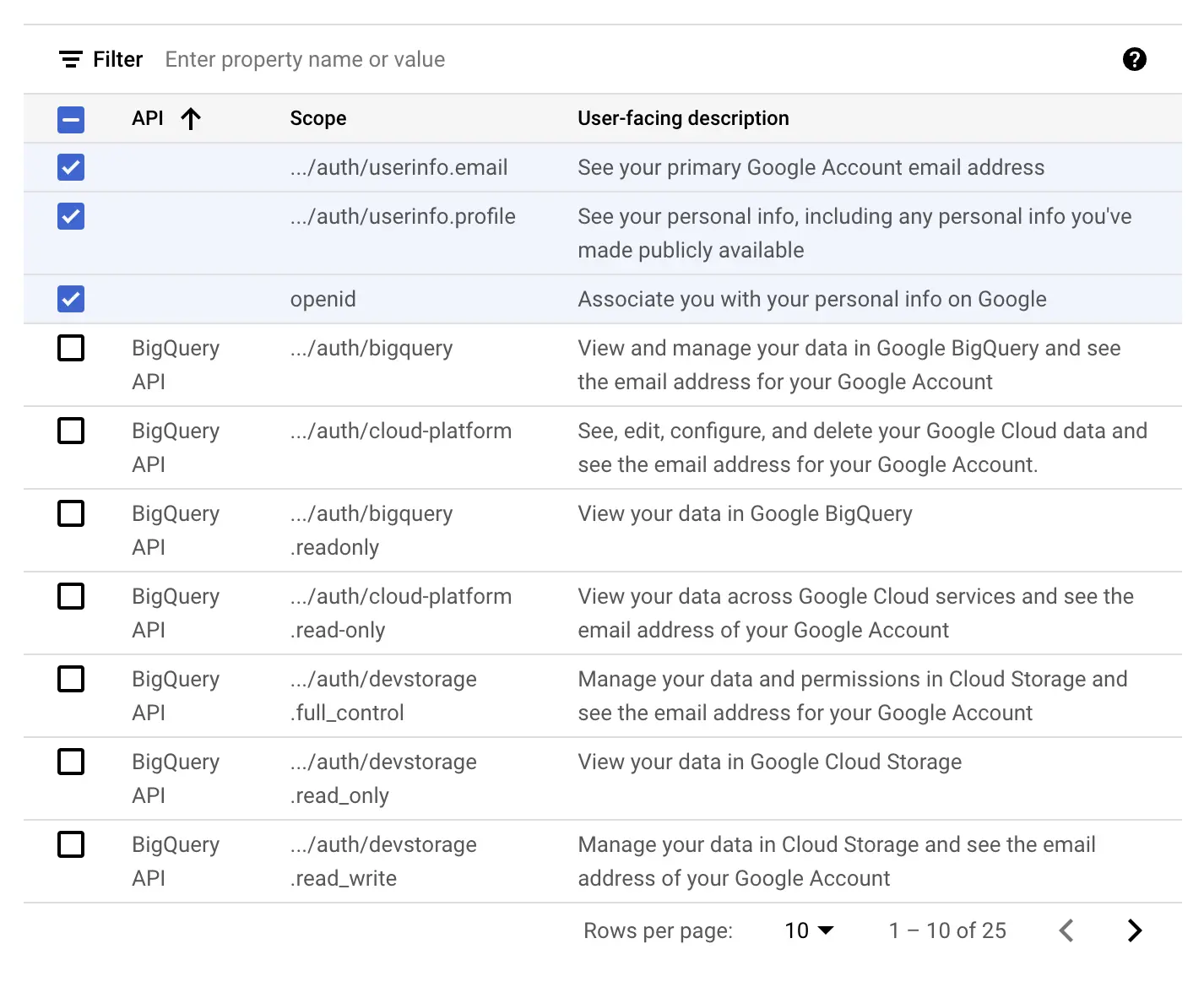
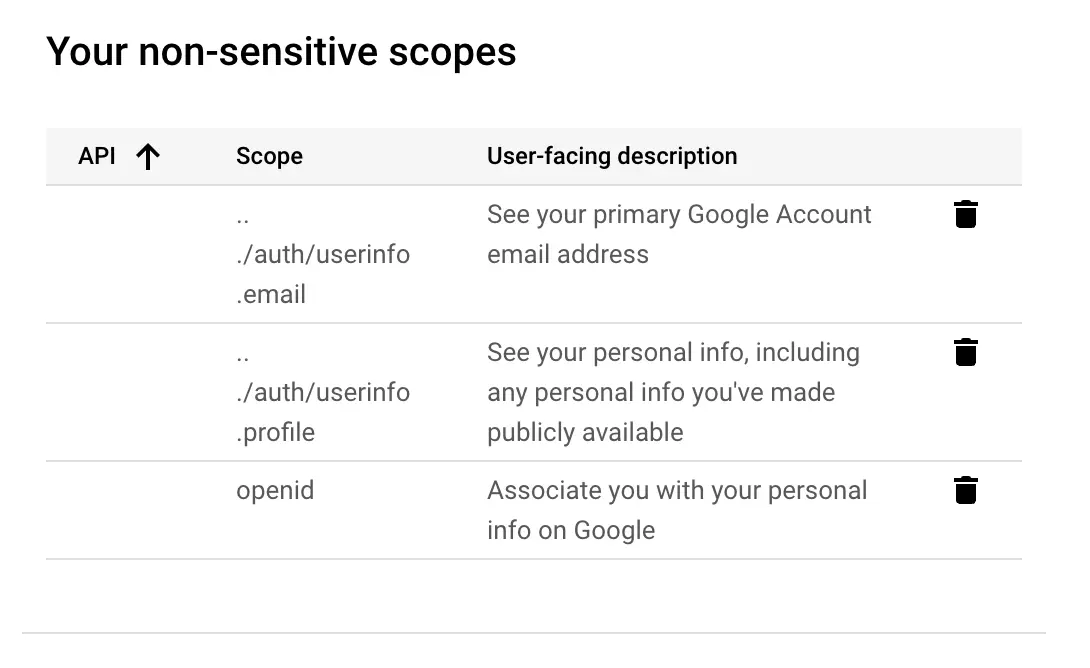
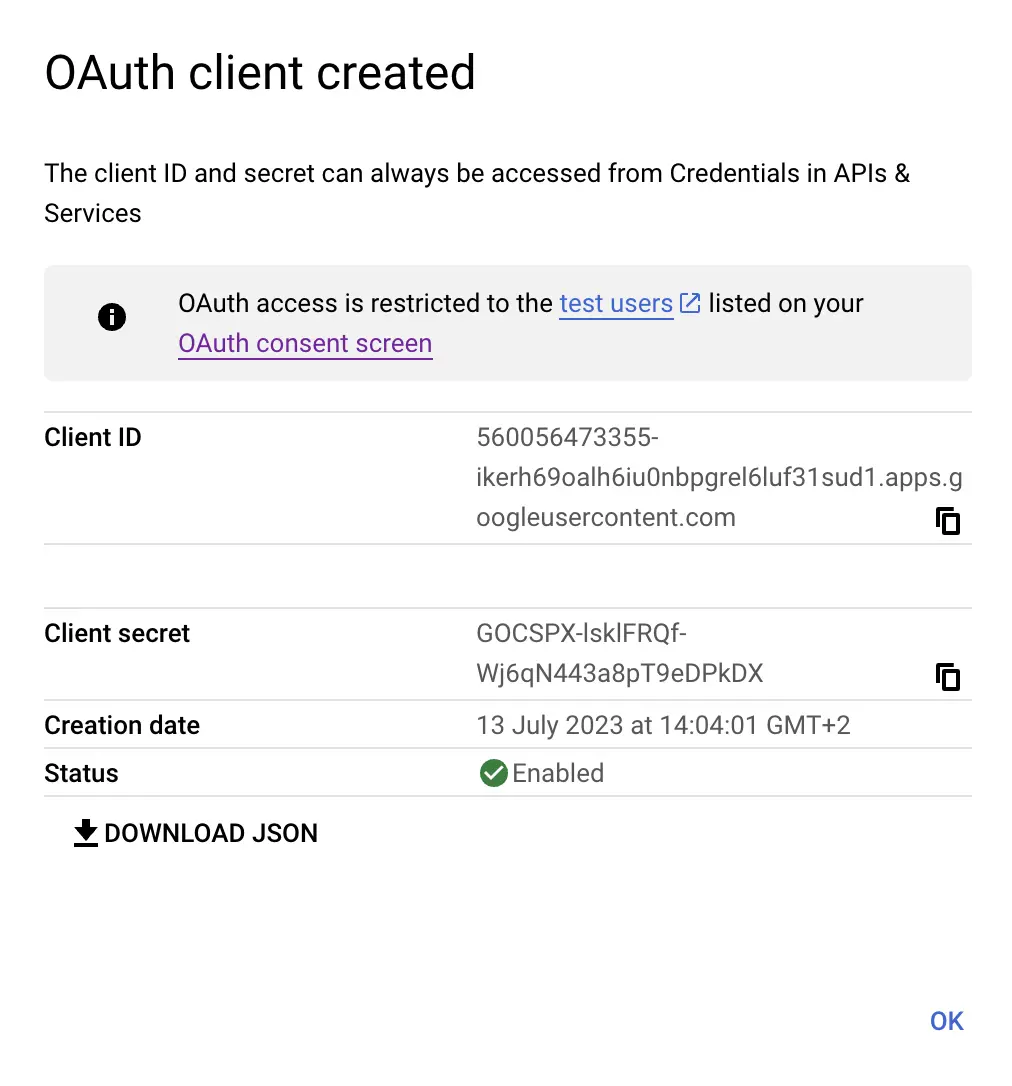
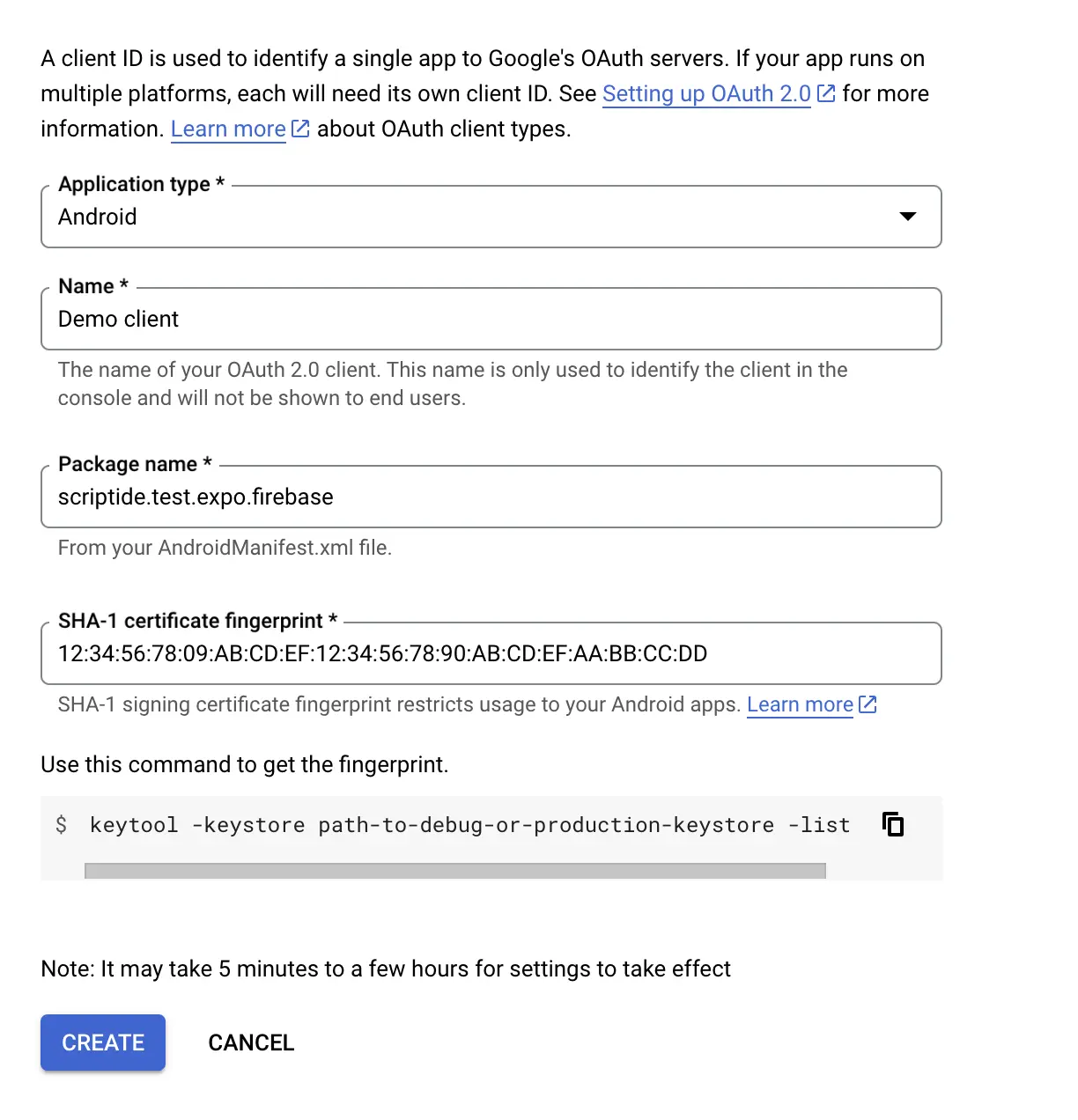
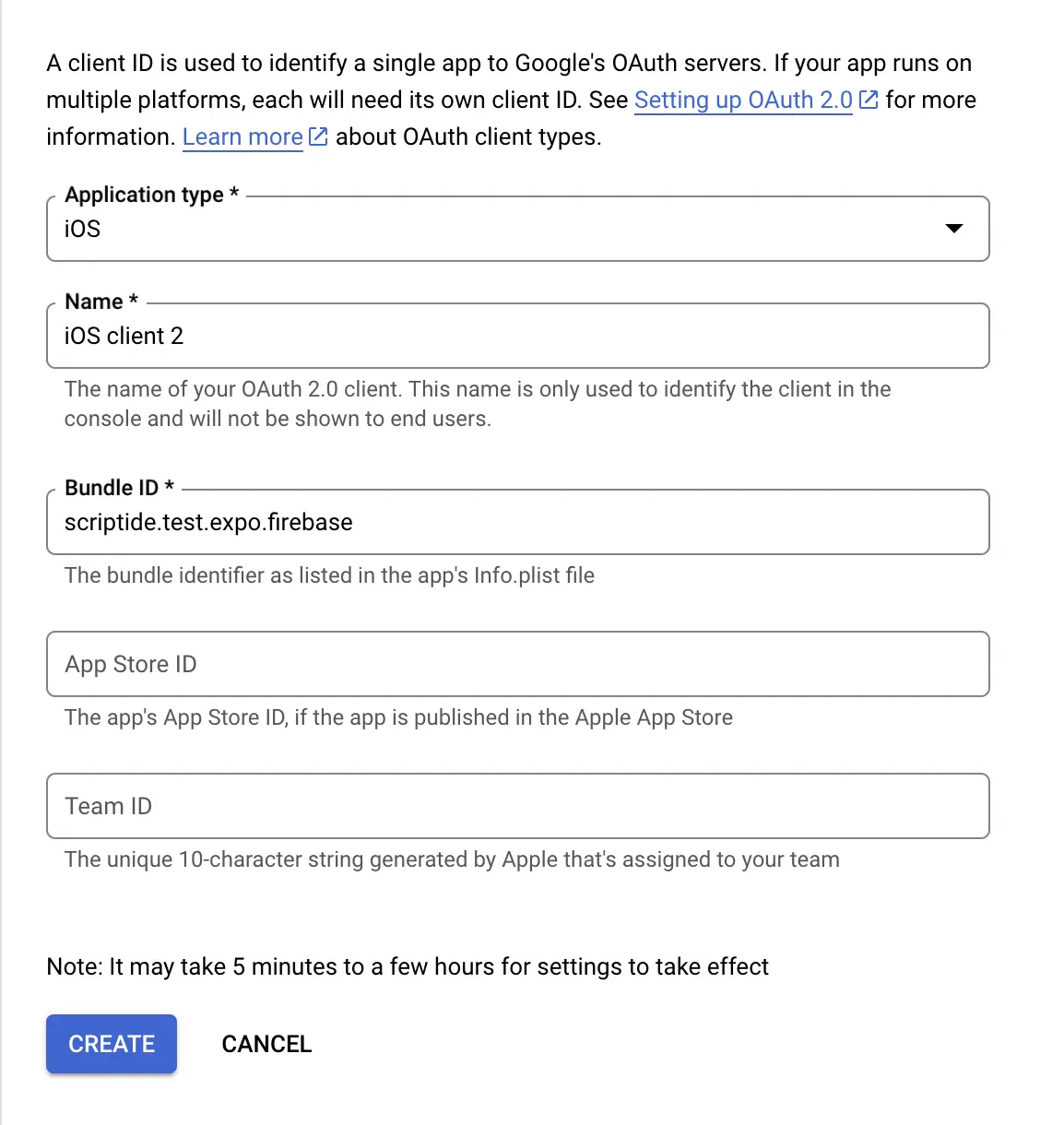
OAuth client
- One for development mode (Web)
- Two additional for the mobile platforms (Android, iOS)
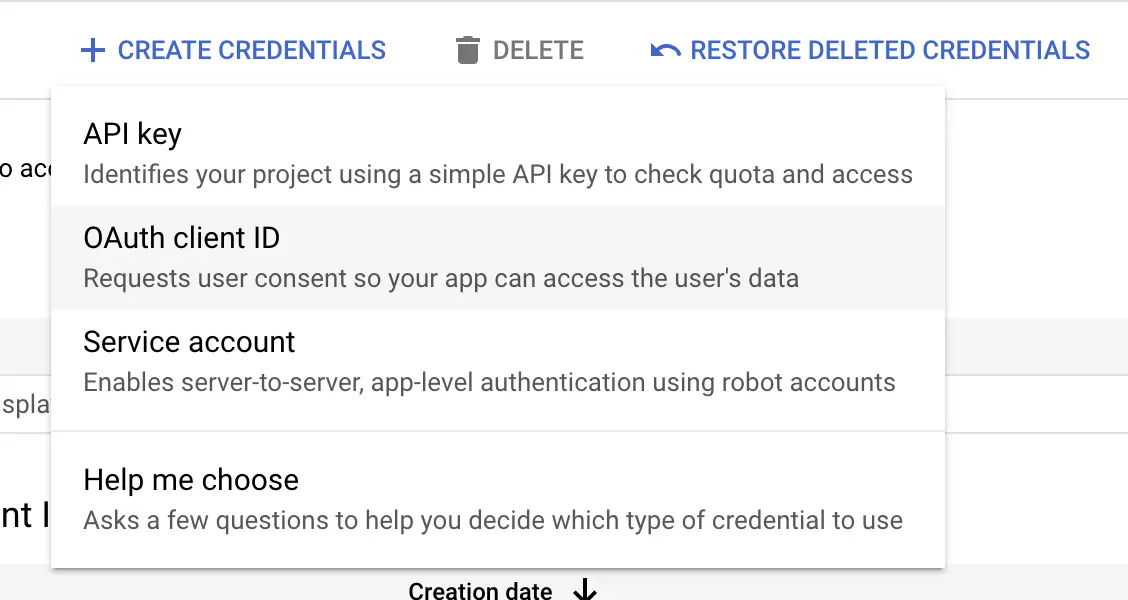
Web Client
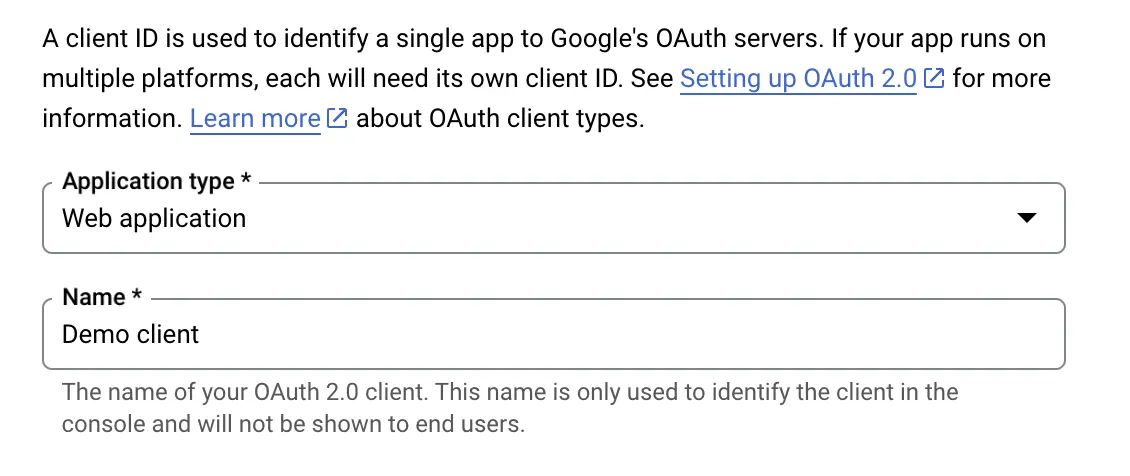
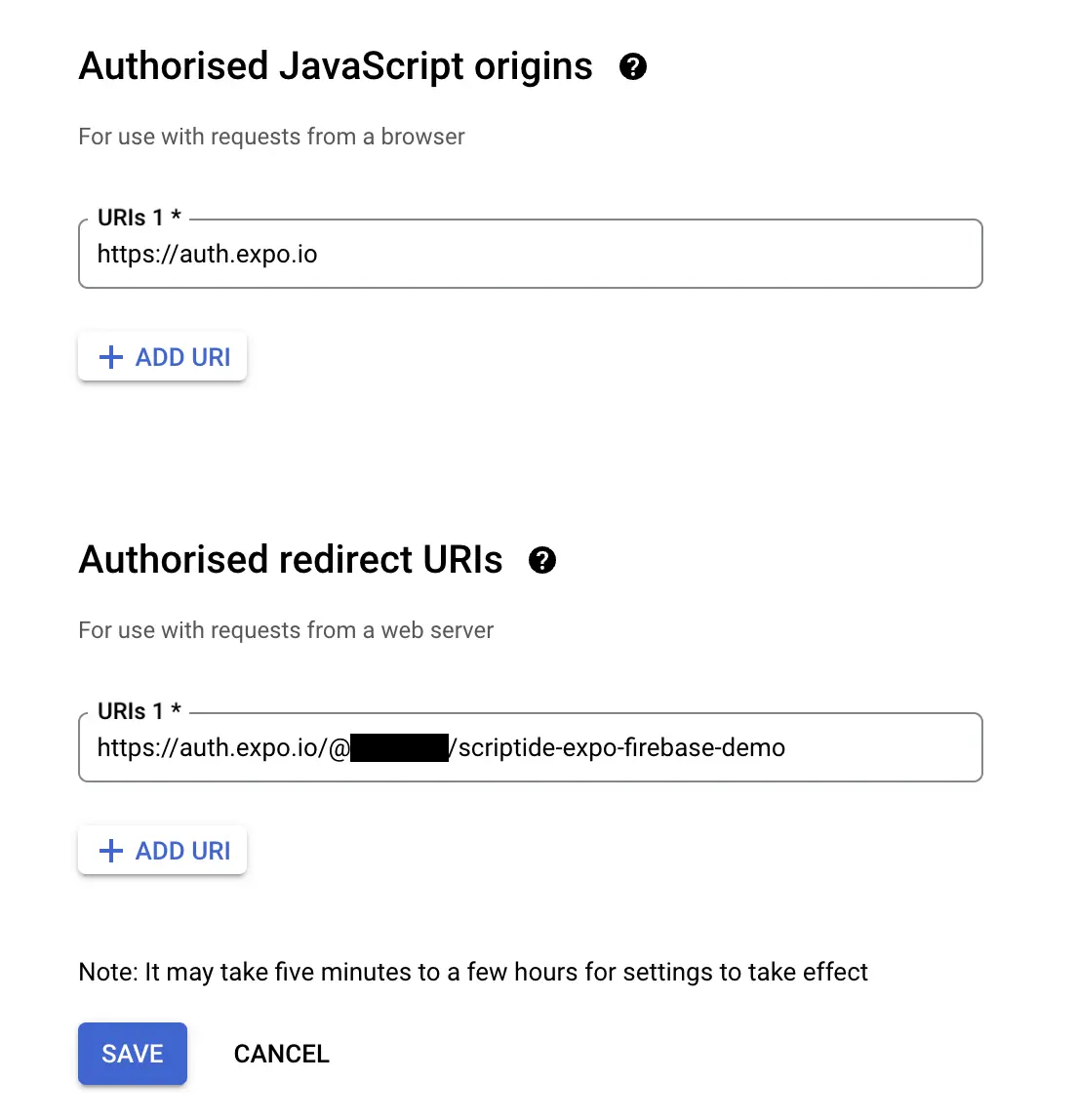
- The
EXPO_CLI_USERNAMEis your username which you use to login to Expo. - The
SLUGis the application's slug that can be set in theapp.jsonorapp.config.(js|ts).
Android
iOS
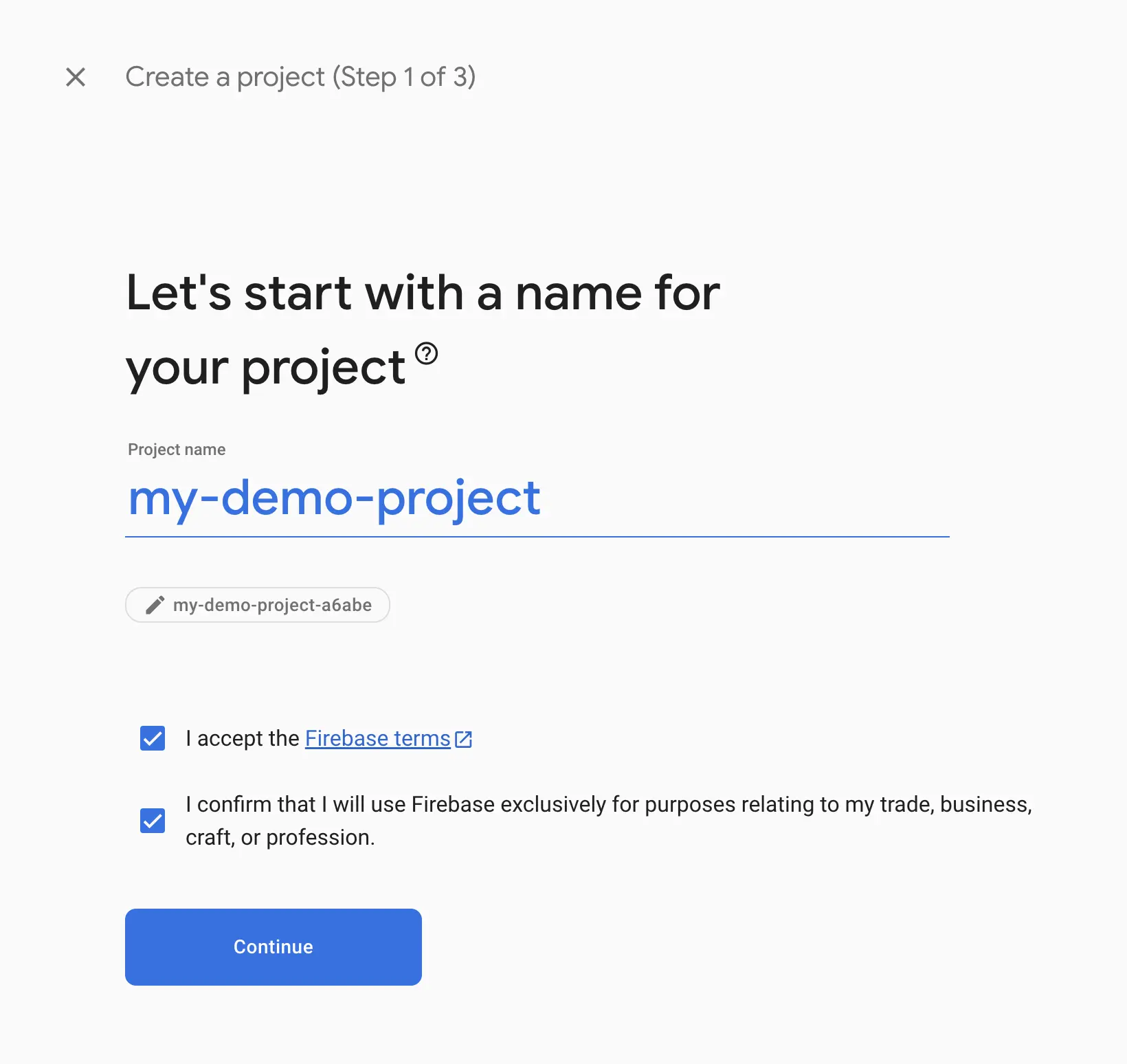
Firebase project setup




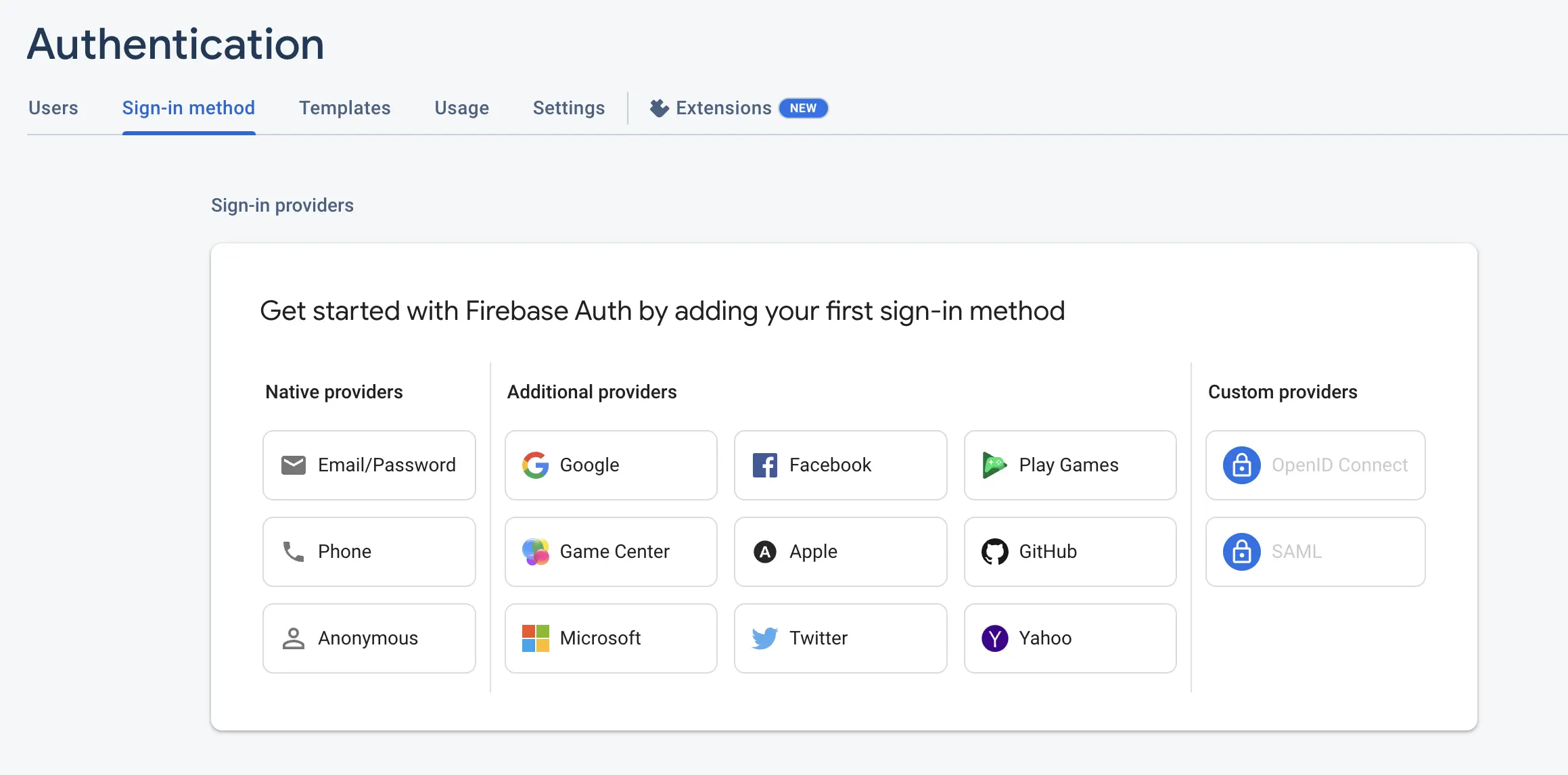
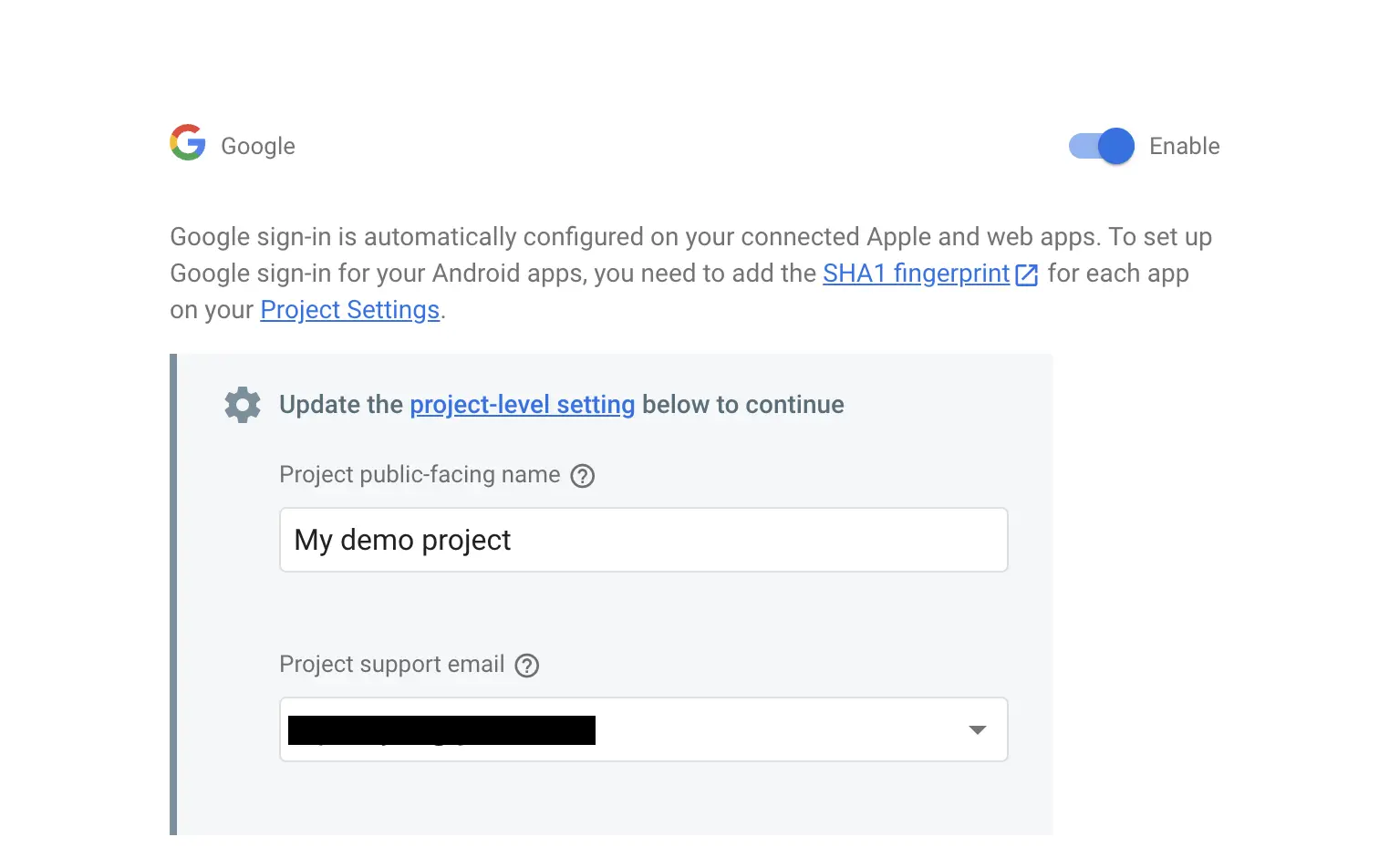

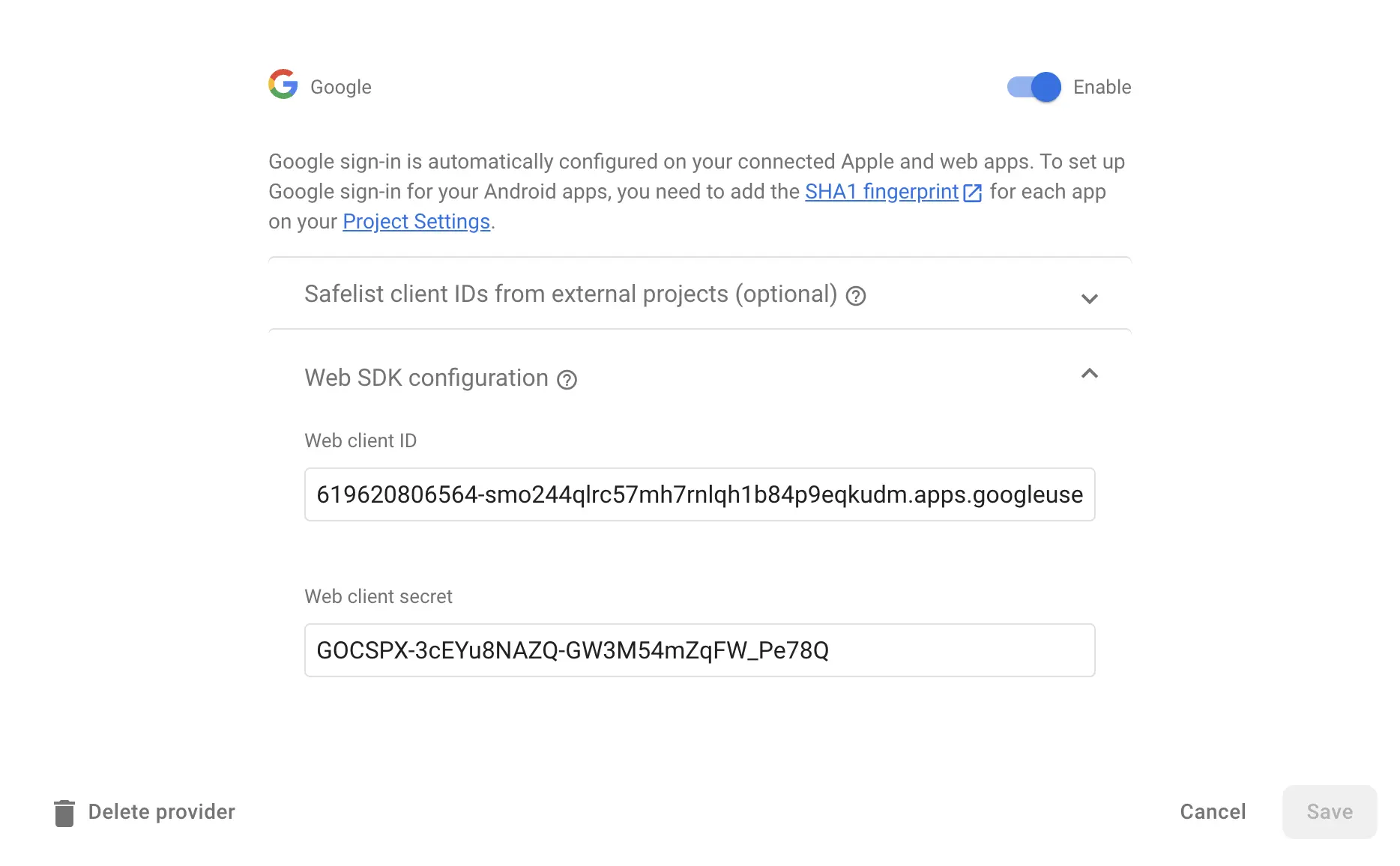
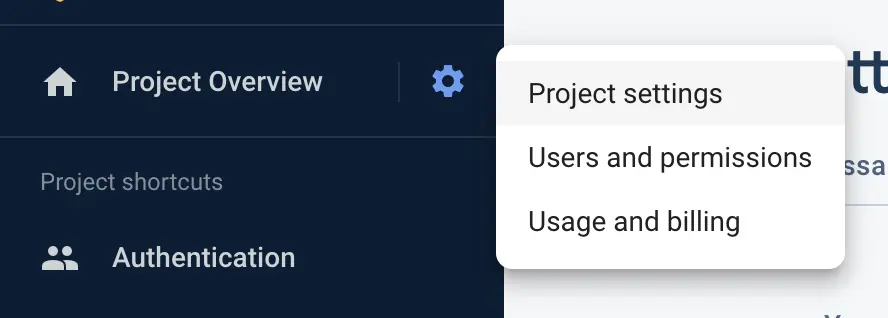
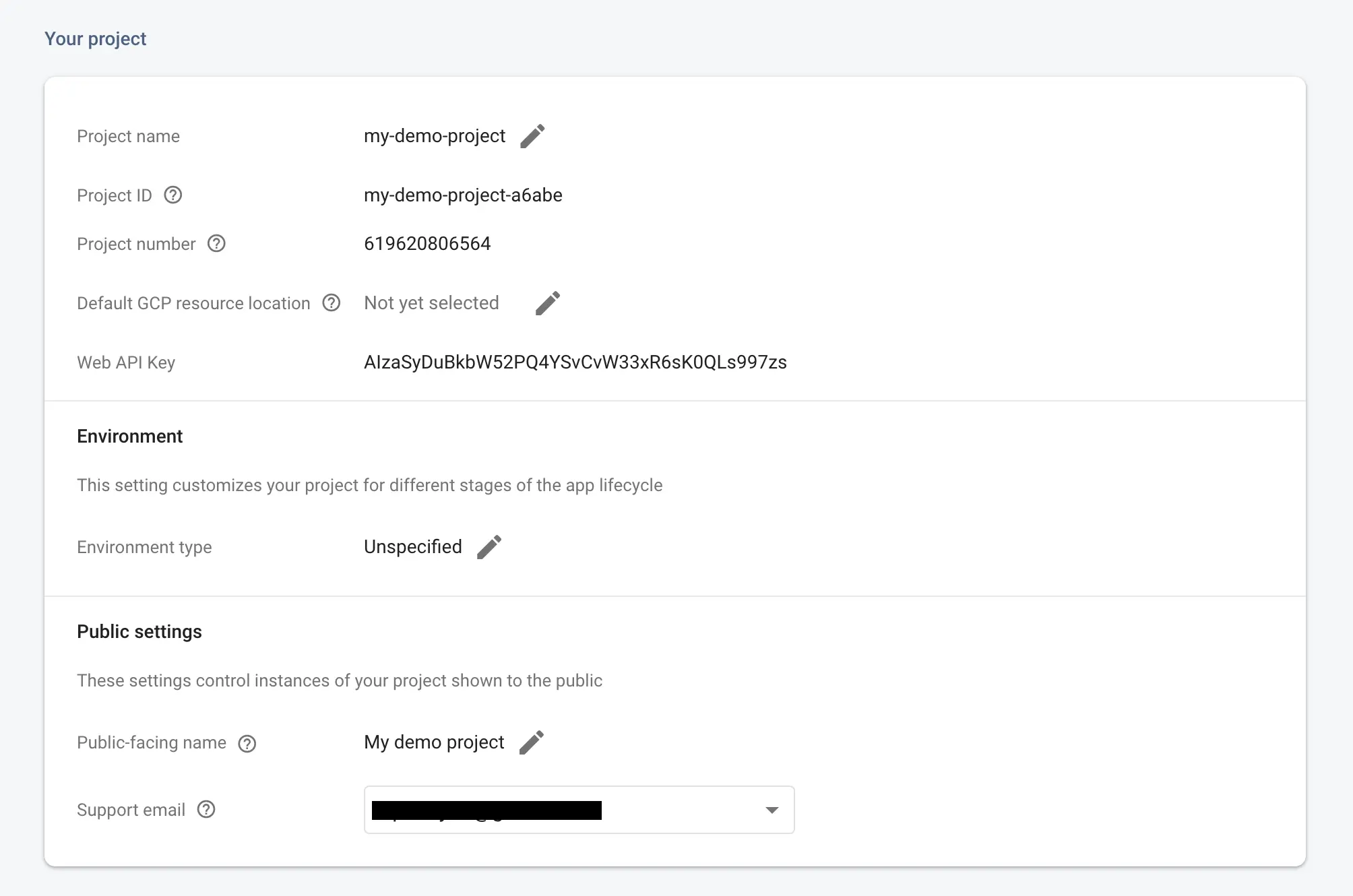
Expo additional configuration with dotenv
ios.bundleIdentifier and android.package will be required later on in the release part.scheme, name, slug properties should match with the redirect URI previously set up in the google cloud project.Auth logic
Credentials file
.env file first like thisfirebaseConfig.tsRetrieve id_token from the Google Provider
useIdTokenAuthRequestpromptAsyncGooglewhich is a function that triggers the Google logingoogleResponsein which we store the response of the Google login event
promptAsyncGoogle() if the user clicks on the Google login button:googleResponse variable.id_token from the provider. This call is not yet the firebase login. So we need to log in to Firebase after this call is successfulFirebase login and user id_token
googleResponse variable and create an effect when it changes.id_token. To do this we'll use the GoogleAuthProvider that is provided for us by the firebase package.firebase package. But before that we need to set up a firebase auth instance outside of our component like thisuseCallback.OAuthCredential is also from the firebase package.user into the signInResponse.Save user to state and setup persistence with SecureStorage
User type comes from the firebase package)onAuthStateChanged property of our initialized auth instance.SecureStorage.SecureStorage has getItemAsync, setItemAsync, deleteItemAsync functions and these correspond in their typing with the ones above extending the getReactNativePersistence.SecureStorage can only save keys that contain alphanumeric values. So we need to transform our keys from these functions to be compatible with this rule.SecureStorageTLDR.:
Scriptide is a strategic technology partner specializing in the development of custom, complex B2B software solutions. We provide a comprehensive suite of services, including digital transformation, web and mobile development, and the integration of AI and blockchain technologies.
Get a free IT consultation. We are excited to hear from you.
Liked this article? Subscribe for more.
We handle your data with maximum discretion. By clicking 'Keep me posted' you consent to processing your data by Scriptide Ltd. for marketing purposes, including sending emails. For details see our Privacy Policy.
You might also like these articles!
Click for details
Using AI (Computer User Agent) models in automated testing for easier and quicker tests
One of Scriptide's staff software engineers, Botond Kovács, made a proof of concept (POC) TypeScript framework that uses OpenAI's Computer User Agent combined with traditional end-to-end testing frameworks like Playwright/Puppeteer. This POC allows for writing automated software tests more easily and quickly than before, treating the testable application as a black box instead of having to rely on test IDs, eliminating the need for code changes in the original application.
#dev
•
NOV 10, 2025
•
6 min read
Click for details
Improve Lighthouse Performance: How To Maximize a Website's SEO Scores
Google Lighthouse and Google PageSpeed Insights have become industry standard tools for measuring the overall performance of web applications. But what purpose do these tools serve, and why should we pay attention to our score? Can we improve our audit results, or is it set in stone? In the next article, we will explore how we managed to improve the score of Scriptide's website and why we chose to take this step.
#dev
•
JUL 01, 2025
•
4 min read